Cloud Printing SaaS
2025.12 – Present · Solo, in operation · Spring Boot, uni-app, Electron, C#
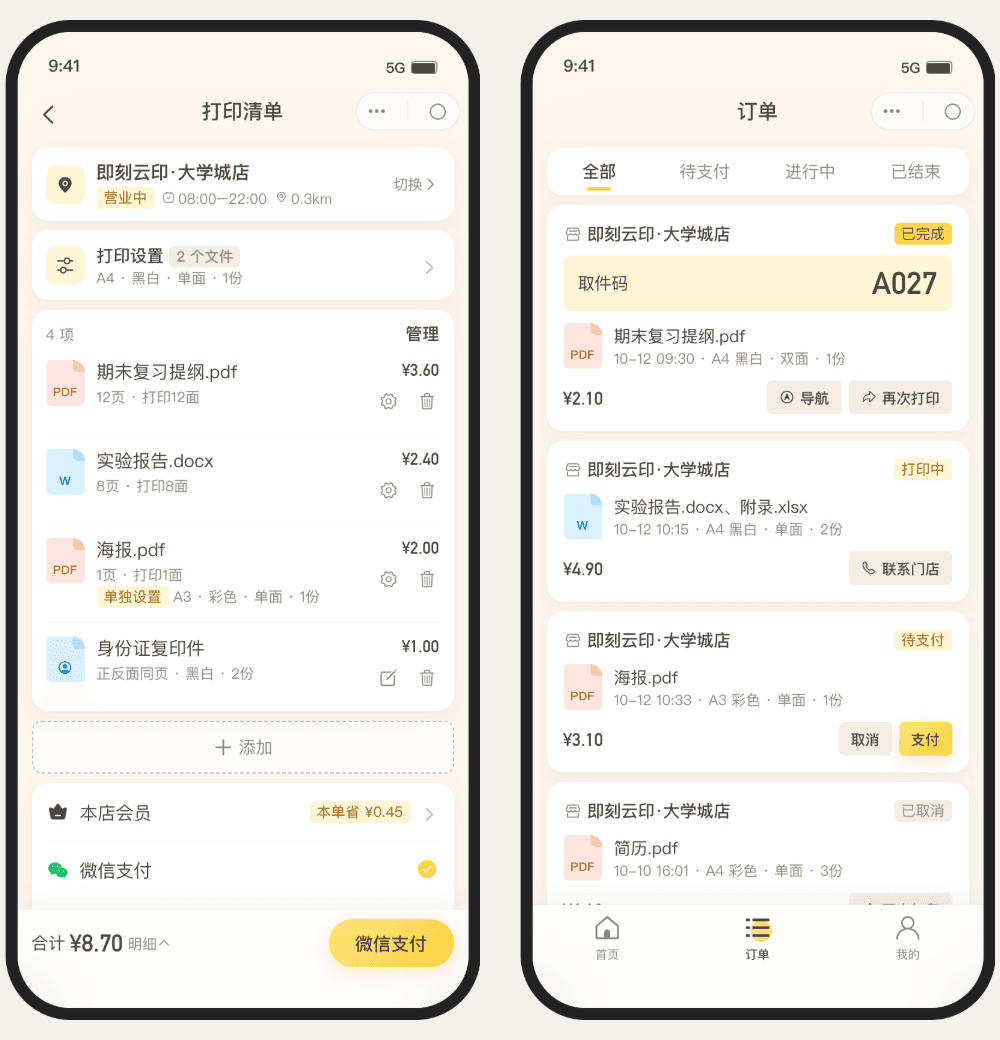
Jike Cloud Print is a cloud print system for print shops. A user uploads files, sets options and pays in a WeChat Mini Program. A desktop client on the shop's computer takes the order and prints it automatically. Development started in December 2025. The earliest uploaded file in production is dated 2026-03-03. It is still running, with 8 shops connected. I develop and maintain it alone.
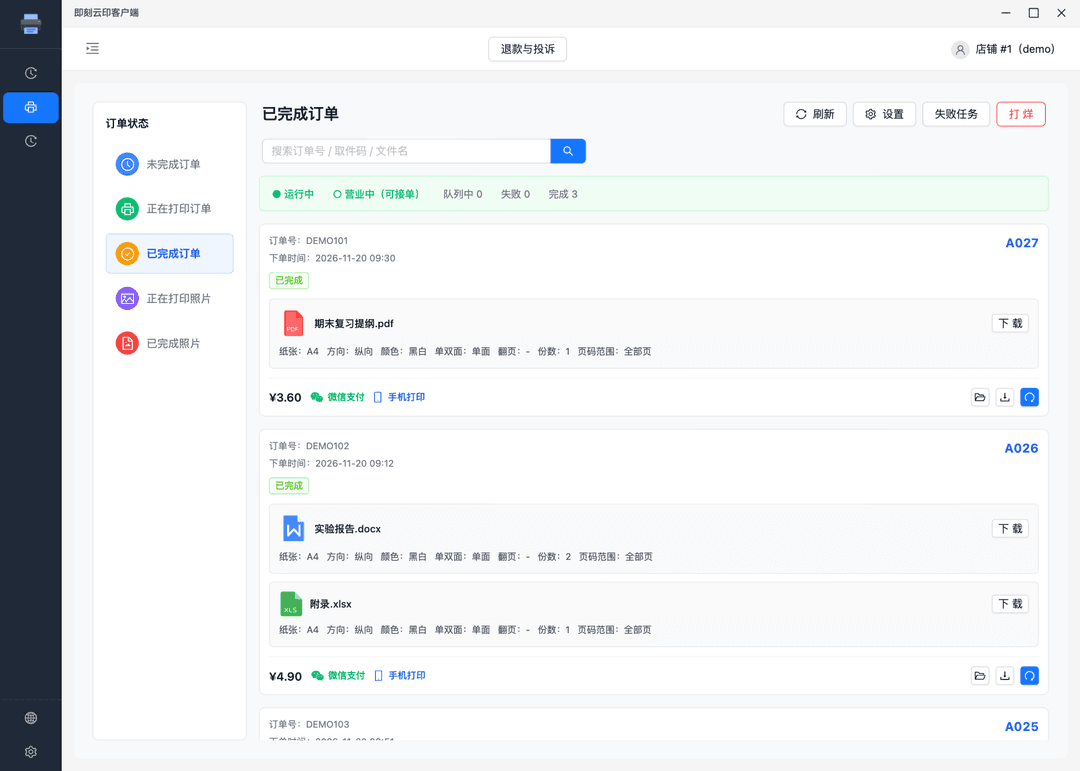
The problem
In a print shop the trouble is the files: Word, Excel, PPT, encrypted PDFs, archives and ID photos. The formats vary, the page count is known only after conversion to PDF, and the price depends on page count and options. A cloud server cannot convert Office files and cannot reach the printer. So the system is split into four parts around this limit: the shop computer computes page counts and PDFs, and the backend decides prices and order status.
Architecture
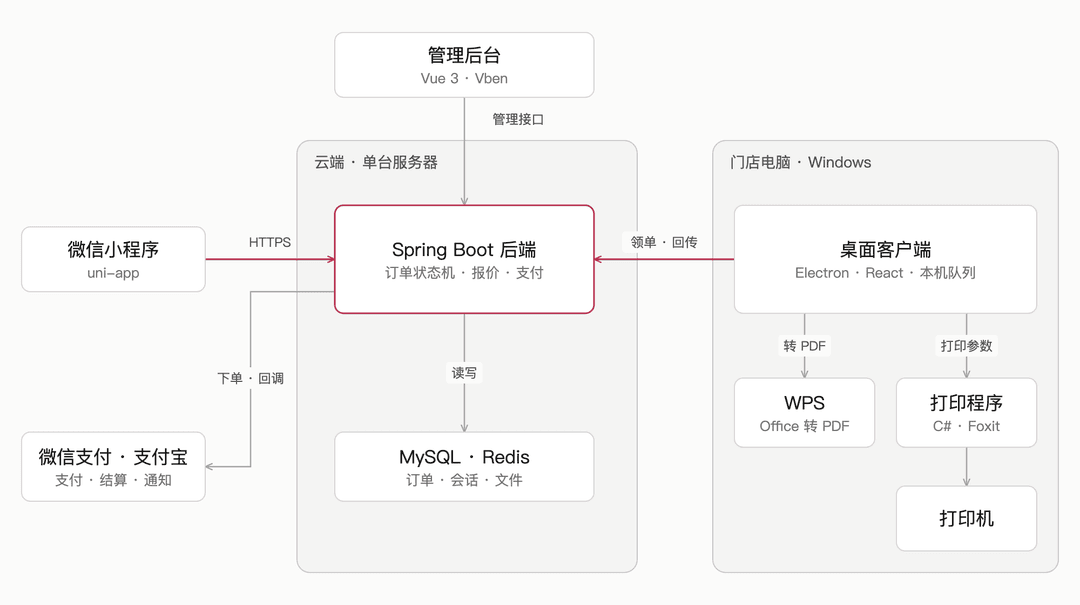
| Part | Tech | Responsibility |
|---|---|---|
| WeChat Mini Program | uni-app, Vue 3 | Choose a shop, upload files, set options per file, get a quote, pay, orders and after-sales |
| Backend | Spring Boot 3, MyBatis-Plus, Sa-Token, MySQL, Redis, PDFBox | Order state machine, quotes, payment, file policy, pickup codes, statistics and scheduled jobs |
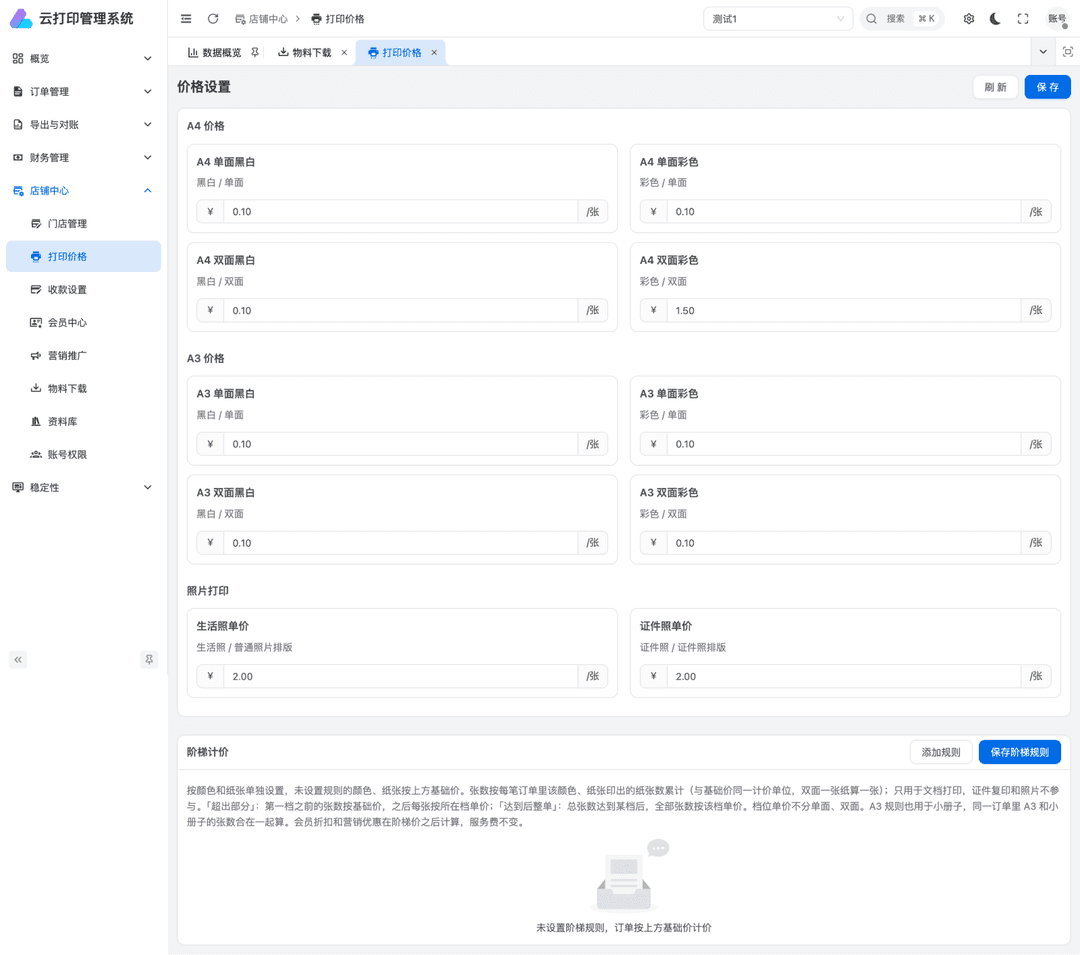
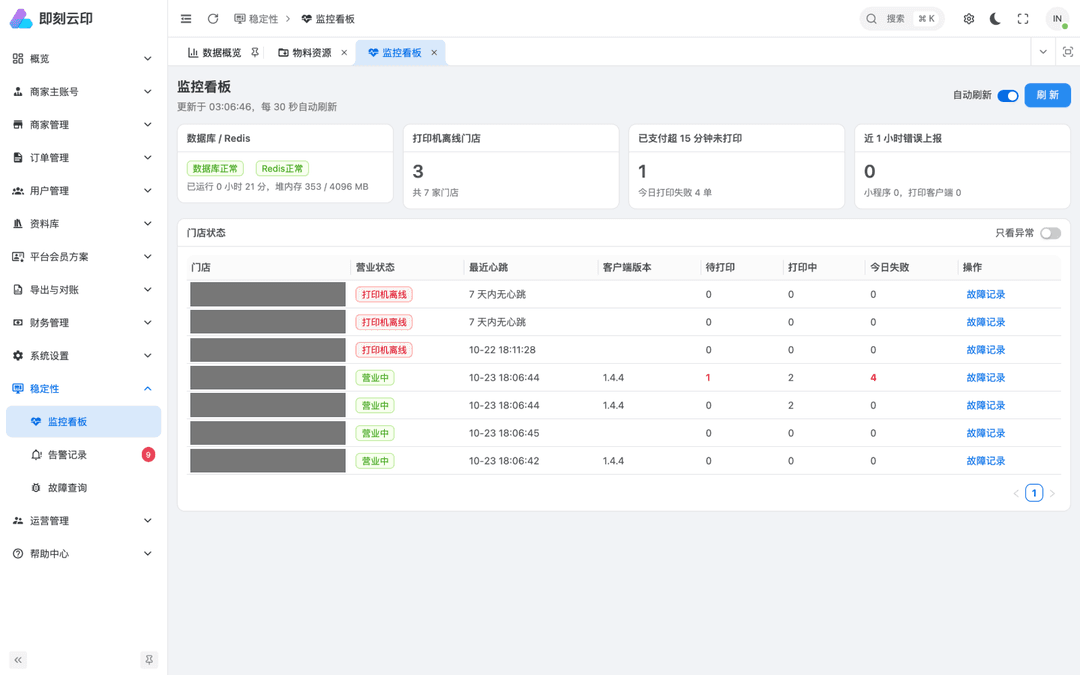
| Admin console | Vue 3, Vben Admin, Ant Design Vue | Orders, shops, prices, members, finance reconciliation, monitoring and alerts, client version releases |
| Desktop client | Electron, React, C# native print program | Take quote tasks, convert Office to PDF, lay out pages, call the printer, report status back |
The console has three roles: system admin, platform admin and merchant. Under a merchant there is also a main account that can manage several shops. Data is isolated by shop.
How an order flows
- The Mini Program uploads the file and the backend stores it. A PDF can be counted for pages directly. Office files, images and archives are marked pending.
- The shop client sends a heartbeat every 20 seconds, takes pending files, downloads them, converts them to full PDFs, reports the page count, then uploads the PDF and a preview image.
- The Mini Program can only quote once the files are ready. The backend computes the price from page count, color, paper, tiered prices and member discount. The front end does not calculate money.
- After WeChat Pay succeeds, the order moves to pending print. The client picks a printer by paper, color and duplex support, merges files with the same options, lays them out and submits.
- The client reports status and failure reasons back, and the user collects the print with a pickup code.
Problems solved
| Problem | Approach |
|---|---|
| Office to PDF conversion is unstable | The client converts with the local WPS. A COM service start failure is environmental flakiness, so it retries 3 times by error signature. When a conversion hangs, only that WPS process is killed |
| Print engine crashes | The main engine is PrintManager from the Foxit PDF SDK, and a pdfium build is bundled as well. It falls back and retries once only when no print job ID was obtained at all, to avoid printing twice |
| Order status lost when the network drops | The client writes faults, durations and final order states to a local queue first and reports them after reconnecting. It clears them only after the backend confirms |
| Concurrent printing | Dispatch takes a concurrency slot first, and every abort branch releases it. Files with the same options are merged into one PDF at the print stage, and separator pages join the same batch |
| Shop goes offline | A heartbeat gap over 70 seconds marks the shop offline, and the Mini Program stops taking orders for it. The monitoring board and alert records list offline shops and orders not printed in time |
| Pickup code gaps | Pickup codes are assigned from a counter by shop, date and type. A review in 2026-07 found that numbers were consumed but not written to the order. The assignment flow was fixed and the review was written into the repository docs |
| Encrypted PDFs | The upload flow became a state machine, so the password dialog does not appear repeatedly and old passwords are not resubmitted |
| Database changes | There is no migration framework. SQL and rollback scripts are written by hand under db/migration, and the release order and rollback order are in the maintenance guide. The backend also has fallback logic that adds missing columns at startup |
Business features
- Order types: document printing, ID copying, photo printing (lifestyle photos, ID photo making and photo paper layout).
- Pricing: shops set their own prices, with tiered prices by color and paper, and fixed-price materials.
- Money: WeChat Pay, shop balance and top-up, member discounts, Alipay settlement, order refunds and complaints (escalated to the platform after a timeout).
- Operations: shop QR code posters, a material library, announcements, data export and reconciliation.
- Ops: Grafana monitoring, daily backups uploaded to object storage, 14-day cleanup of order files and 3-month retention cleanup.
Scale
| Item | Number | Source |
|---|---|---|
| Shops connected | 8 | Repository docs/维护指南.md |
| Orders | over 30,000 | Ops record of 2026-11 |
| Git commits | 675, from 2025-12-07 to 2026-11-19 | GitHub repository commit history |
| Database migration scripts | 45, including rollback scripts | backend/src/main/resources/db/migration |
| Desktop client version | 1.4.8 | client-desktop/package.json |
My part
I develop and maintain the backend, admin console, Mini Program and desktop client. Since November 2026 I also handle production releases, migrations, rollbacks and monitoring. The Windows installer of the desktop client is built on a dedicated build machine. A version is published in the console, clients check for updates, and old versions can be forced to upgrade.