Travel Agency Sales Assistant
2025.12 – 2026.10 · Client project · Electron, Android, FastAPI
Project scope
This is an assistant system for travel agency customer support and sales. Its goal is to give agents live reply suggestions, sales guidance, and customer intent analysis without touching the merchant's existing system.
The system has an Electron desktop app, an Android mobile Agent, and a FastAPI backend (AI and vector search). The flow is: capture from several devices → merge context → AI decision → assist the operator.
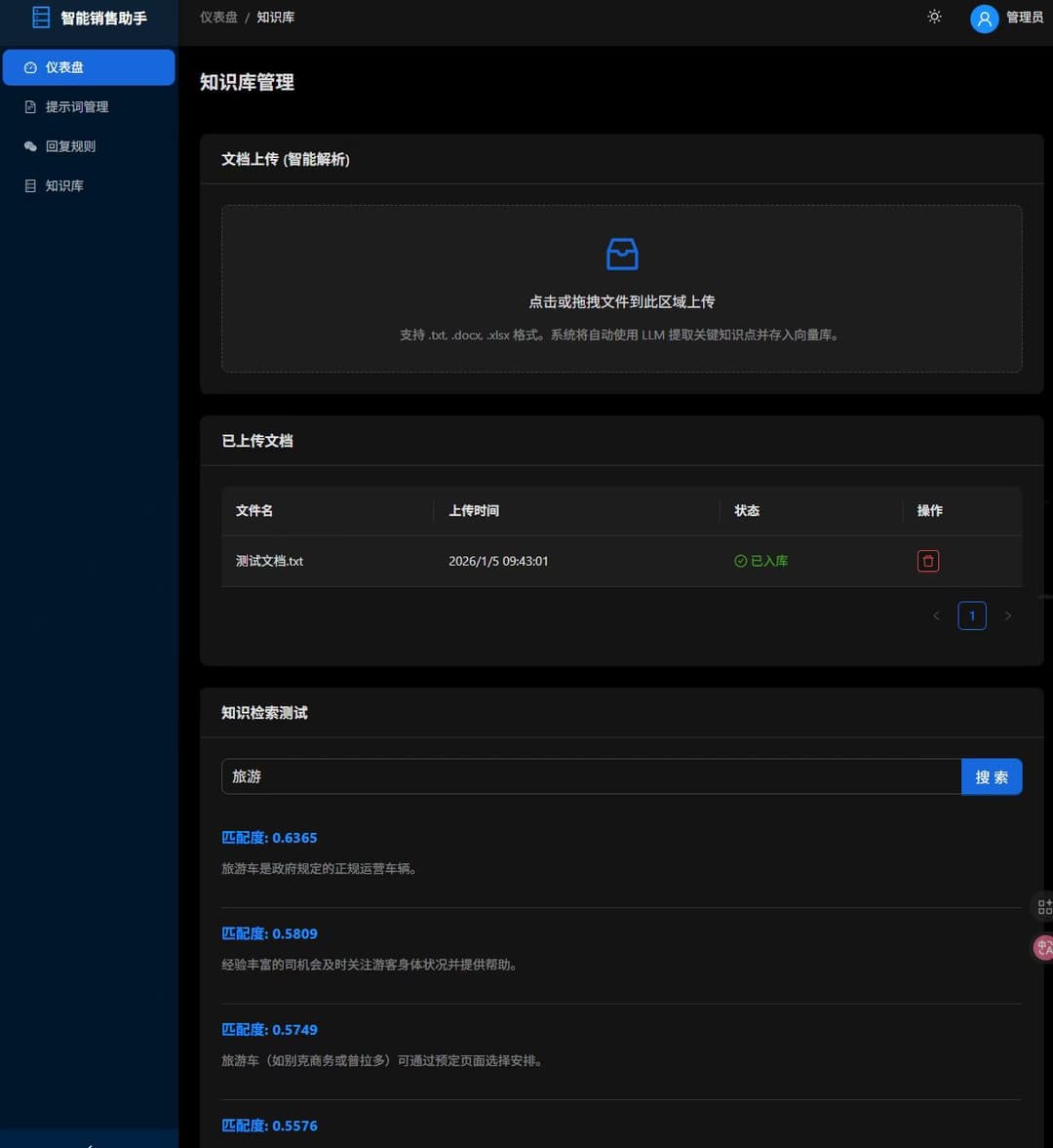
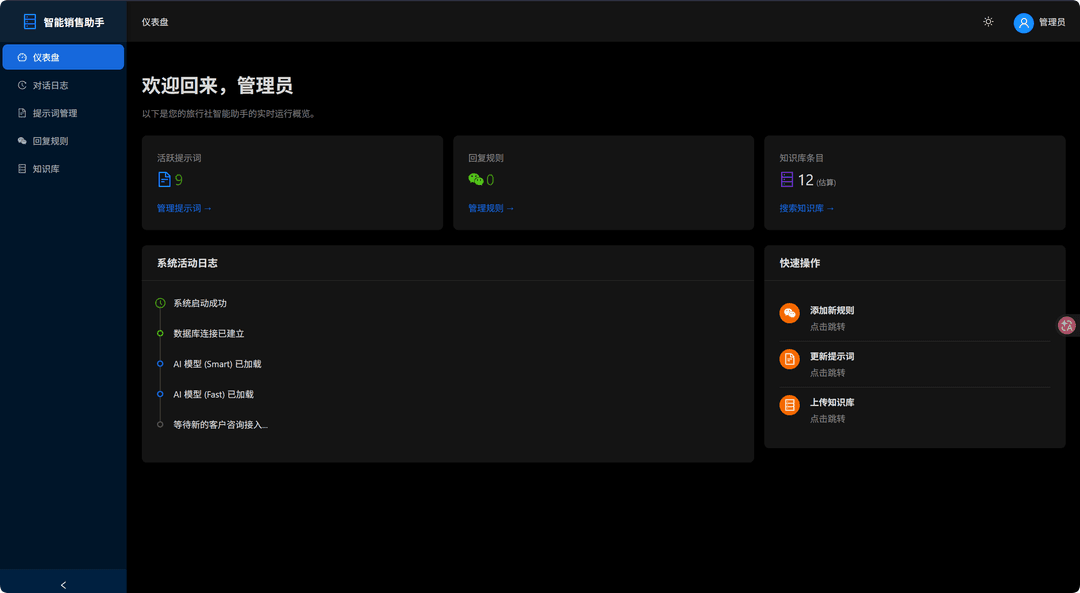
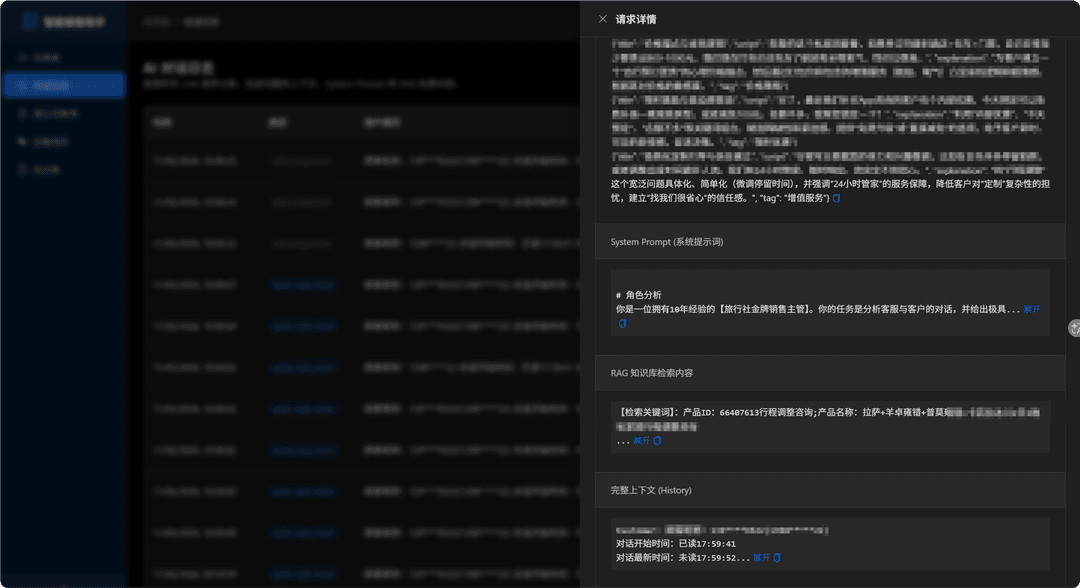
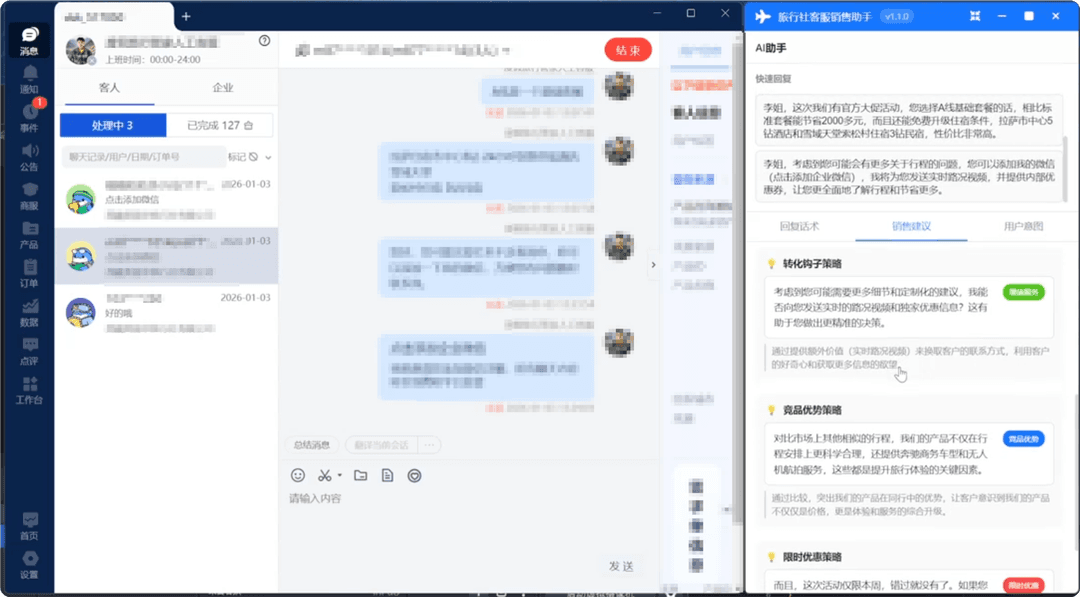
1. Electron desktop app (the agent's main workflow)
The desktop app sits in the support workflow as a docked Electron sidebar. It:
-
Takes over the running and lifecycle of the third-party merchant client
-
Collects chat DOM data in real time through the Chrome DevTools Protocol (CDP)
-
Feeds the current customer, message history, and session state into the AI decision pipeline in real time
-
Generates reply text as a stream, and can write it into the input box in one click
What the desktop app provides: it reliably gets the real conversation context without changing the merchant's system, and puts the AI into the support workbench.
2. Android Agent: an OCR and Accessibility-driven "operation agent on mobile"
1. Why an Android Agent
In real business, some support and sales work happens in mobile apps (such as WeCom, custom CRMs, and IM tools). These apps:
-
Have no web version, or the web version is limited
-
Have no open API or API permission
-
Change their page structure often, so an SDK cannot be injected
So the Android side uses an "observe and operate" Agent model instead of a traditional SDK integration.
2. Core capabilities of the Android Agent
(1) OCR perception layer ("reads the screen")
-
Uses system screenshots and an OCR engine to recognize screen text, on a timer or when triggered by an event
-
Extracts key information:
-
Current customer nickname or ID
-
Recent chat content
-
Business entities such as product prices, itinerary details, and times
-
-
Applies region grouping, confidence filtering, and semantic denoising to the OCR result, so UI noise does not reach the model
Engineering focus:
OCR output is not thrown at the model as a full screen. Rules and structural constraints come first, which lowers backend inference cost and the false-judgment rate.
(2) Accessibility operation layer ("can operate the app")
-
Uses the Android Accessibility Service to watch interface changes and the control tree
-
Locates the key interactive nodes:
-
Input box
-
Send button
-
Customer switch list
-
-
Lets the Agent perform actions:
-
Focus the input box
-
Write the AI-suggested text
-
Trigger a click or submit
-
Key constraint:
The Agent does not click around at random. Only after the AI decision is clear does it run atomic operations that can be traced back and interrupted.
(3) Agent execution control (safety and control)
-
Every Agent operation is bound to:
-
Session ID
-
Operation type (write / click / switch)
-
The version of the AI suggestion it came from
-
-
Supports manual confirmation and semi-automatic mode, to avoid wrong operations
-
Keeps operation logs locally, for tracing back and risk analysis
3. Data flow from Android to the backend
Screen perception (OCR)
    ↓
Structured session text
    ↓
FastAPI /session/ingest
    ↓
Context fusion & vectorization
    ↓
AI inference / retrieval augmentation
    ↓
Action suggestion / reply text
    ↓
Android Agent executes (Accessibility)
3. FastAPI backend: the hub for AI decisions and knowledge retrieval (FastAPI + Milvus)
1. Role of the backend
The FastAPI backend is not "a simple model proxy". It has three responsibilities:
-
Context merging and trimming (from Electron / Android)
-
Retrieval-augmented generation (RAG)
-
Coordinating Agent decisions across devices
2. Vectorizing sessions and knowledge (Milvus)
-
The following are vectorized and stored in Milvus:
-
Summaries of past customer sessions
-
Closed-deal cases
-
Itinerary templates and reply templates
-
Common objections and how to answer them
-
-
Queries run a Top-K similarity search by:
-
Customer type
-
Current intent (inquiry / price comparison / hesitation / complaint)
-
Itinerary keywords
-
Design focus:
Not all text goes into the prompt. Milvus narrows the knowledge space first, and the model only decides and generates.
3. AI inference and concurrency control
-
FastAPI provides several AI endpoints:
-
Reply text generation
-
Sales guidance suggestions
-
Customer intent classification
-
-
Every request is bound to:
-
sessionId
-
source (desktop / android)
-
generationId
-
-
It supports:
-
Request preemption (the old generation is cancelled when the agent switches customer)
-
Streaming responses (NDJSON / SSE)
-
Partial-success fallback (content already generated is kept)
-
4. Agent decision strategy across devices
The backend outputs more than "text". It outputs a structured decision:
{
  "replyText": "...",
  "actionSuggestion": "WRITE_AND_SEND",
  "confidence": 0.82,
  "riskLevel": "LOW"
}
The front end (Electron / Android) decides:
-
Whether to write it in directly
-
Whether to ask for manual confirmation
-
Whether to use it as reference only
4. System-level hard problems
-
Connecting to a third-party system we do not control
→ CDP, OCR, and Accessibility, three non-invasive collection methods, used side by side -
AI streaming and many concurrent sessions
→ generationId + AbortController + request-level preemption -
Agent operation safety
→ Smallest possible operation size + traceable logs + manual fallback -
Context bloat
→ Milvus vector search trims first, then the model generates